
Digital front door
The MedAlly website for patients, view visit results at any time
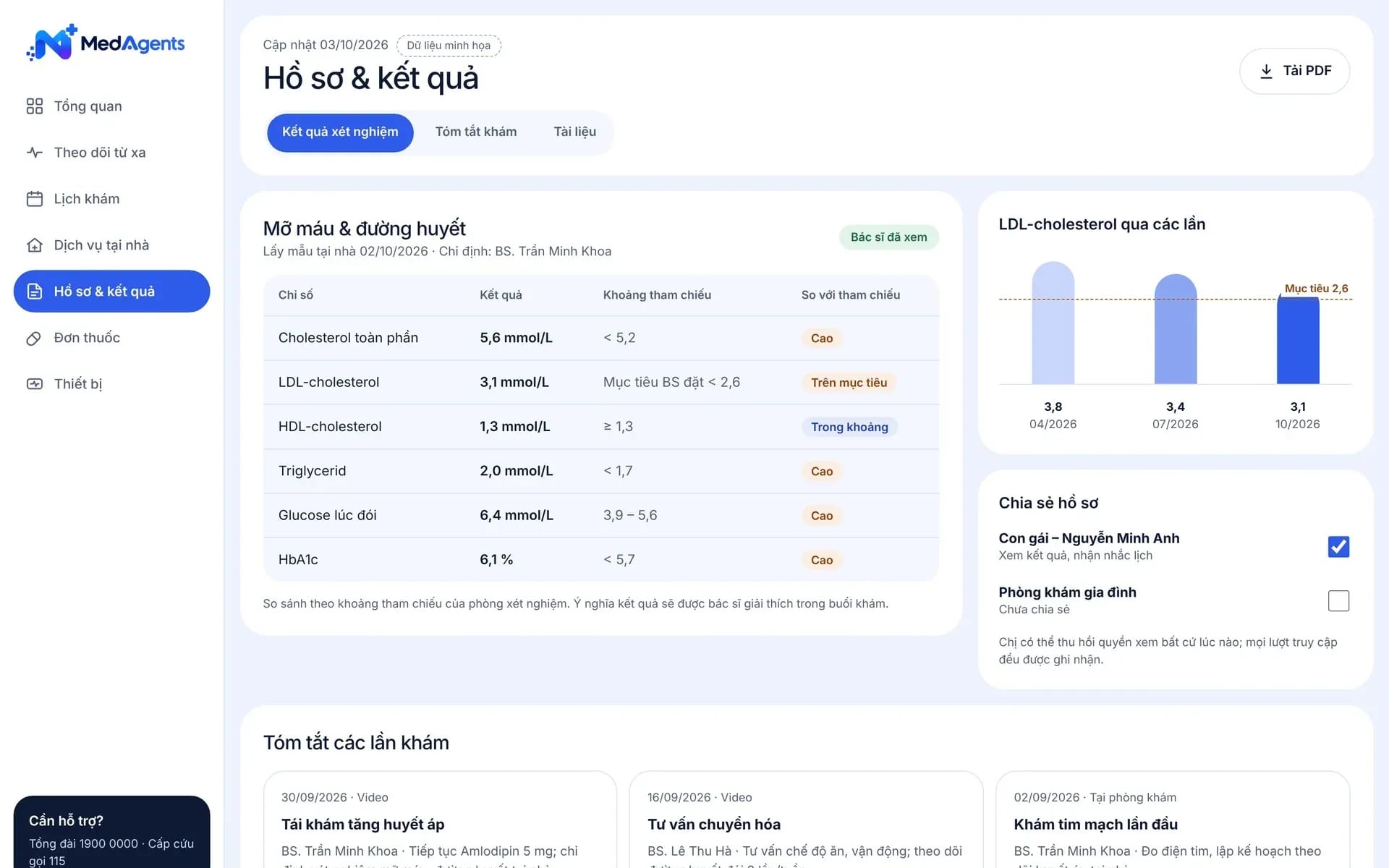
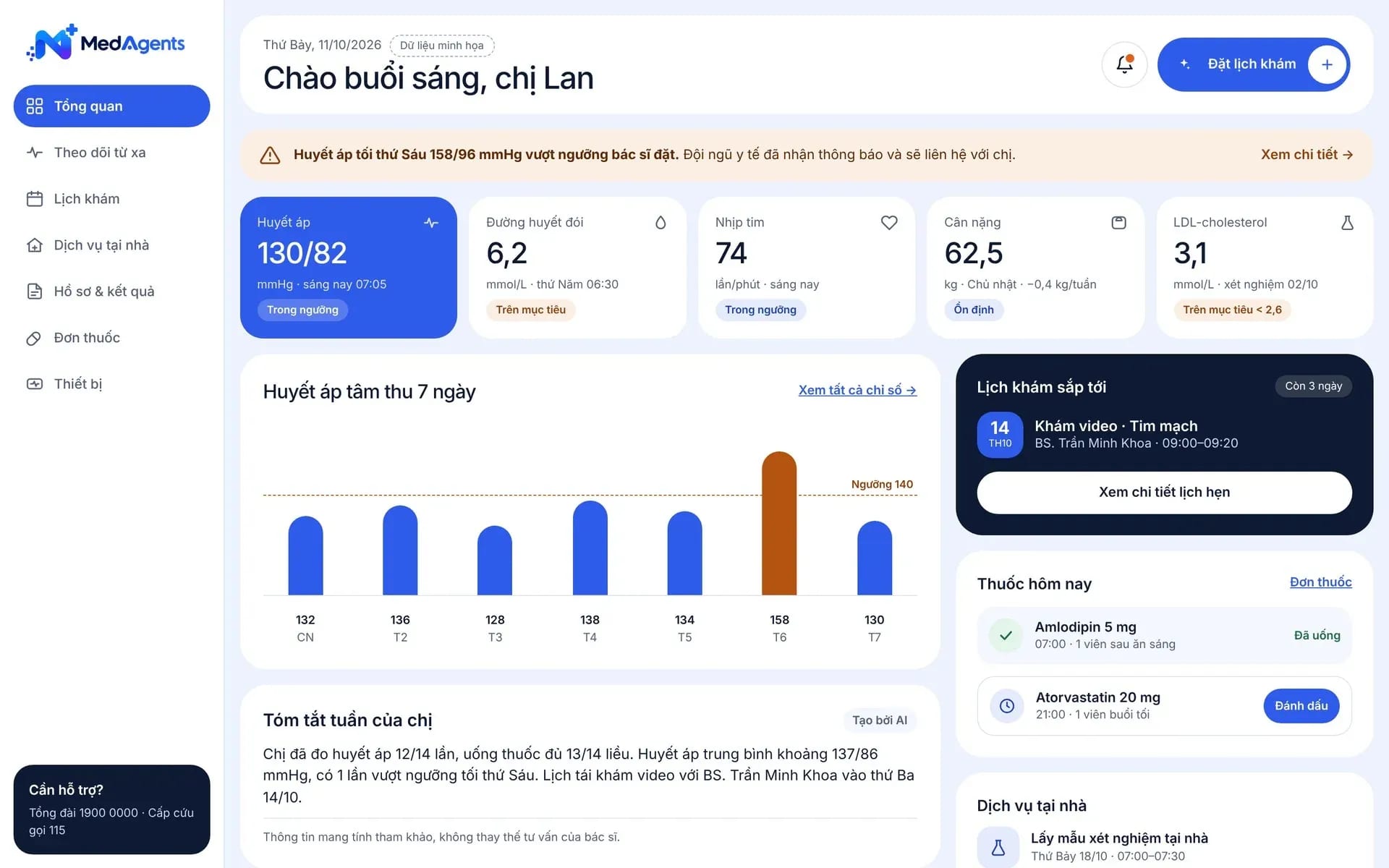
The MedAlly website is a browser-based patient portal: patients sign in to view appointments, lab results and measurements already held in the records they have been granted access to. The healthcare facility adds convenience and stays connected with patients after every visit.
- Appointments
- Lab results
- Vital signs
- Access permissions
Secure access
Convenient access, building patient trust
Patients can view their own information at any time; the facility defines what is published.
View records you are granted access toAvailable
Patients sign in to view the information in their record that the facility allows to be shown.
AppointmentsAvailable
View the list of appointments with their recorded times and statuses.
Contact the facilityAvailable
Messages through Zalo OA and Messenger are handled by the team in the clinic portal.
Your own domain and brandAccording to implementation scope
The portal is presented under the facility's name, branding and domain.
Patient experience
All post-visit information in one place
Patients follow their results and follow-up appointments themselves instead of calling to ask again.
Lab resultsAvailable
A list of the results held in the record, with the time and the related visit.
Vital signsAvailable
The value and unit of each recorded measurement, reviewable over time.
Online paymentDepending on the implementation scope
Connect the facility's payment gateway so patients can view and pay their charges.
Home measurement dataSubject to implementation scope
Bring measurements from home devices into the record, with a person checking them.

Hello doctor, I have my lab results.
The doctor has reviewed it; we can go through it in the consultation.
Multi-channel care
From the clinic to online
In-person visits, telemedicine, and messages are all linked to a single patient record.
TelemedicineAvailable
Remote consultations and follow-up visits by video call, linked to the patient record.
MessagingAvailable
Patients send messages through Zalo OA and Messenger; staff reply from the clinic portal.
In-person visitAvailable
On-site appointments and the results of the visit sit together in one record.
Post-visit follow-up programsSubject to implementation scope
Monitor patients according to a care program designed by the facility.
Notifications & engagement
Timely reminders, staying connected after the visit
Tools that help patients remember follow-up appointments and receive relevant content.
Appointment reminders and notificationsSubject to implementation scope
Notifications for appointments and tasks on the channel the patient already uses.
Health education contentBy implementation scope
Guidance articles have a clinical reviewer and are sent by service or by patient group.
Patient feedbackBy implementation scope
Post-visit feedback questions help the facility track service quality.
MedAlly appAvailable
Patients use the web portal or the app on iOS and Android.
Security & permissions
The facility controls the information that is displayed
Patients see only the data they are granted access to; the scope is reviewed before accounts are opened.
Access permissionsAvailable
Each account sees only the records and content the facility permits.
Review before issuing accountsAvailable
Agree on the list of screens and test access permissions before opening it to patients.
Data following the FHIR R4 standardAvailable
Structured records, exchanged with other systems by API where permitted.
Tied to the clinic workflowAvailable
The patient data shown comes from exactly the record the staff member is working in.
FAQ
Frequently asked questions
Does the patient portal have the same full functionality as the clinic portal?
No. The clinic portal serves staff; the patient portal focuses on the information patients are permitted to see. The list of screens must be agreed and access rights tested before accounts are issued.
Which functions need separate confirmation during rollout?
Patient self-scheduling, two-way chat in the portal, online payment, downloading all documents, and home measurement data must be confirmed separately before being included in an implementation package. These items are marked "Subject to implementation scope" on this page.
Do patients need to install an app?
Not required. Patients can use the web portal in a browser or the MedAlly app. An app carrying the facility’s own branding is a separate scope to be discussed.
Can the facility control what information is shown to patients?
Yes. The facility decides which data types are displayed and reviews access rights before issuing accounts.
Talk to us about the MedAlly website
Describe the workflows and systems you use today, so we can identify what is available and what needs configuration or integration.
- Data stored on infrastructure in Vietnam
- Meets National Prescription data exchange requirements
- Law 91/2025/QH15 · NĐ 356/2025
- Information security level 3+ · HIPAA