
Alerts at the moment of prescribing
Allergies, ICD-10 diagnoses, weight and age are always shown above the prescription for the doctor to check against.
Electronic prescriptions
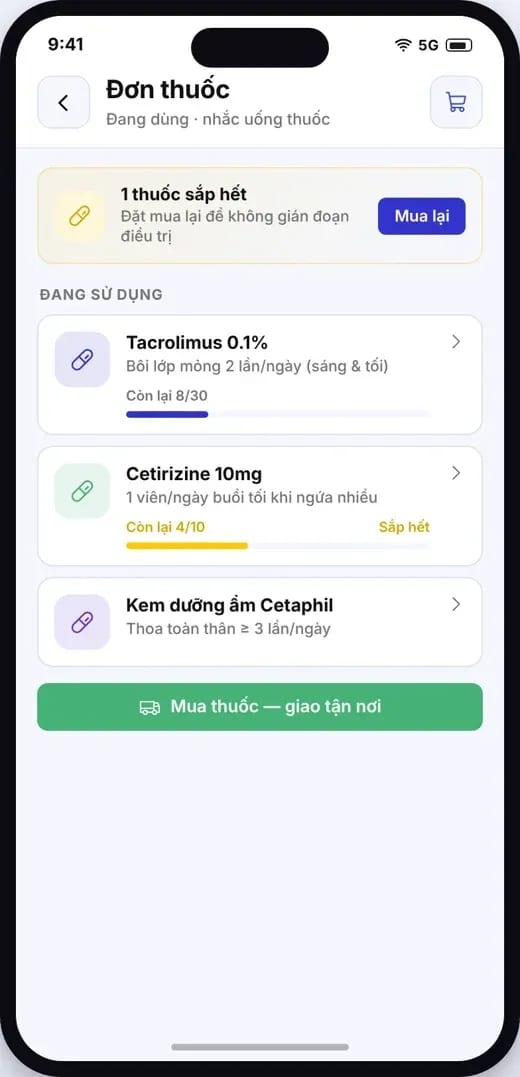
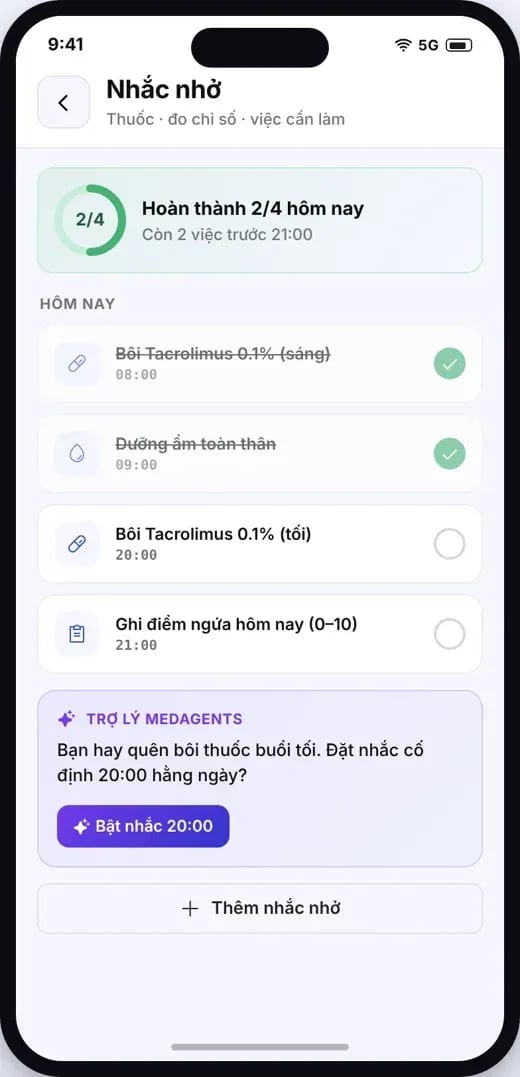
Doctors prescribe in a few steps; the prescription is signed and sent to the National Prescription System. Patients receive medication reminders in the app; the pharmacy and internal stockroom dispense the correct lot within its expiry date.
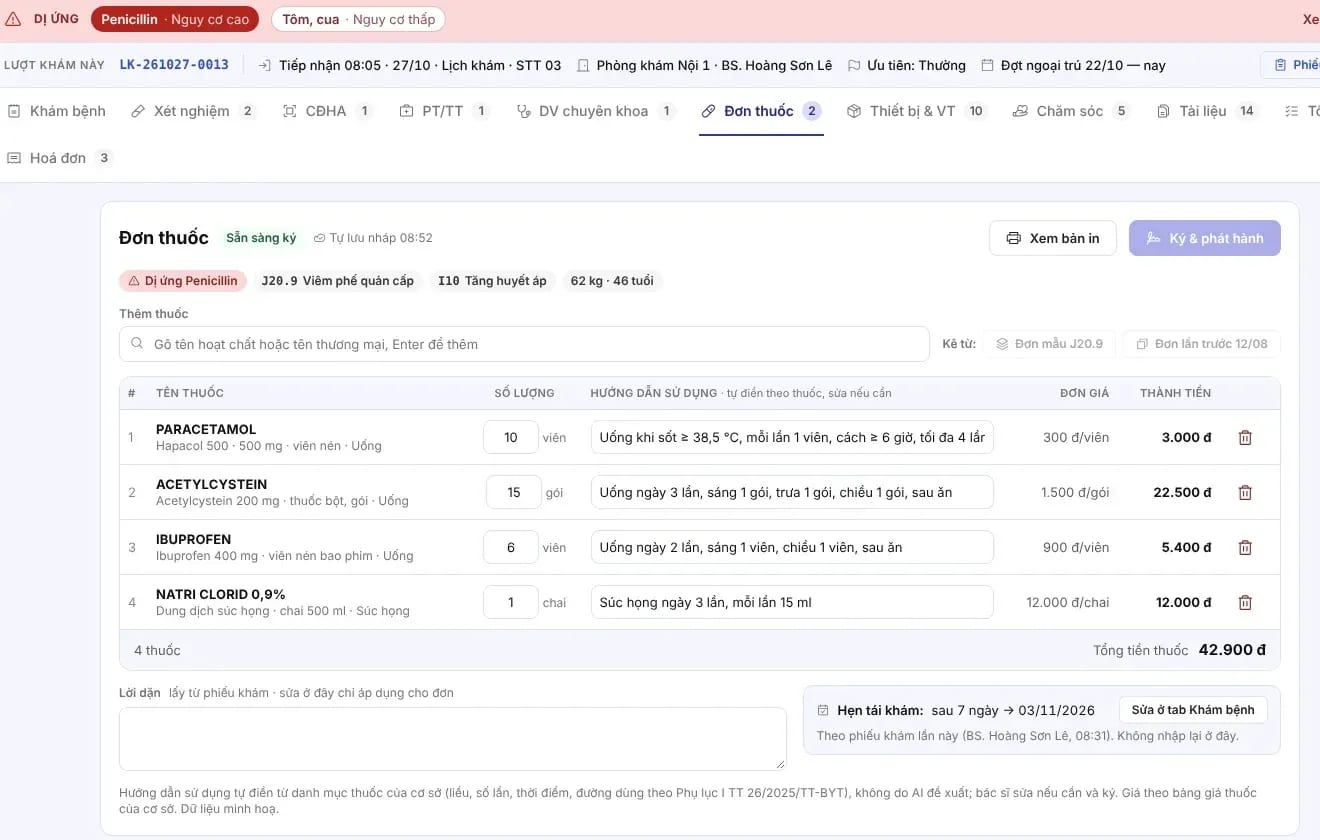
MedAgents clinic portal interface
Smart prescribing
The prescribing screen sits inside the visit and shares data with the patient record.
Allergies, ICD-10 diagnoses, weight and age are always shown above the prescription for the doctor to check against.
Use a diagnosis-based prescription template or the previous prescription, then adjust the quantity and dosage.
Type the active ingredient or the brand name and press Enter to add; medications come from the facility's catalog.
Directions for use are pre-filled from the medication catalog and the doctor edits them if needed; unit price and line total are calculated automatically.
Prescriptions are saved continuously; the ready-to-sign status is clearly shown before issuing.
The doctor signs, the prescription receives a prescription code, and it is sent to the patient and the pharmacy.
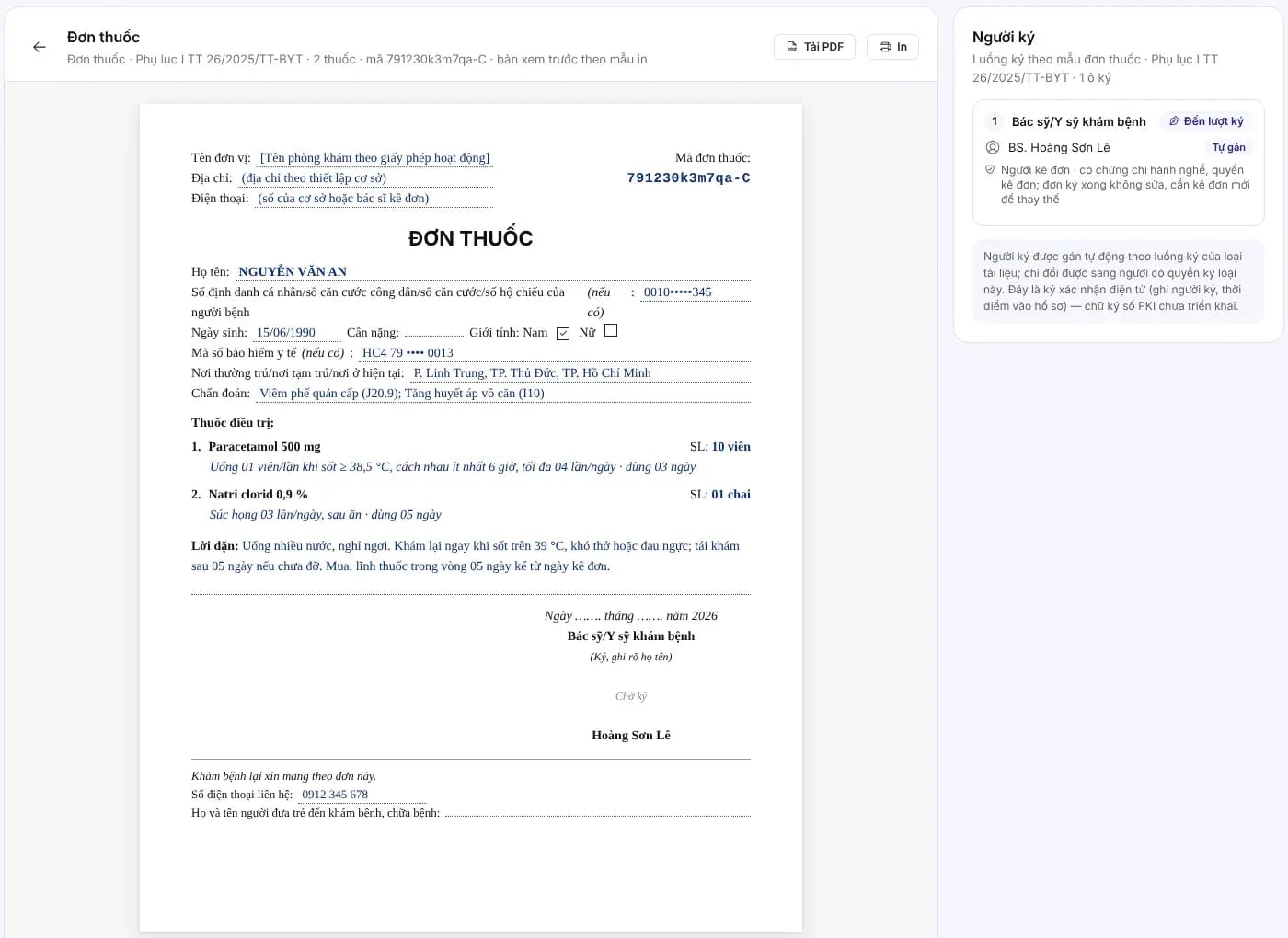
Prescriptions in the correct format
A preview following the prescription template in the Appendix to Circular 26/2025/TT-BYT, drawing data directly from the prescription as entered.
National prescription data exchange
Connect to the National Prescription System under Decision 808/QĐ-BYT: registration, prescription submission, reconciliation and lookup in a single prescribing flow.
Technical documentation for connecting to the National Information System for the Management of Prescribing and Prescription-Only Drug Sales: the input and output data structures of the API, data formats, and response codes when software submits prescriptions to donthuocquocgia.vn. MedAgents connects according to this documentation.
National data exchange accounts for the facility and its doctors are issued by the regulator; MedAgents supports registration and configuration during rollout.
Patient app
Once the doctor issues the prescription, a reminder schedule is created from the instructions in it and appears in the patient app.
Pharmacy
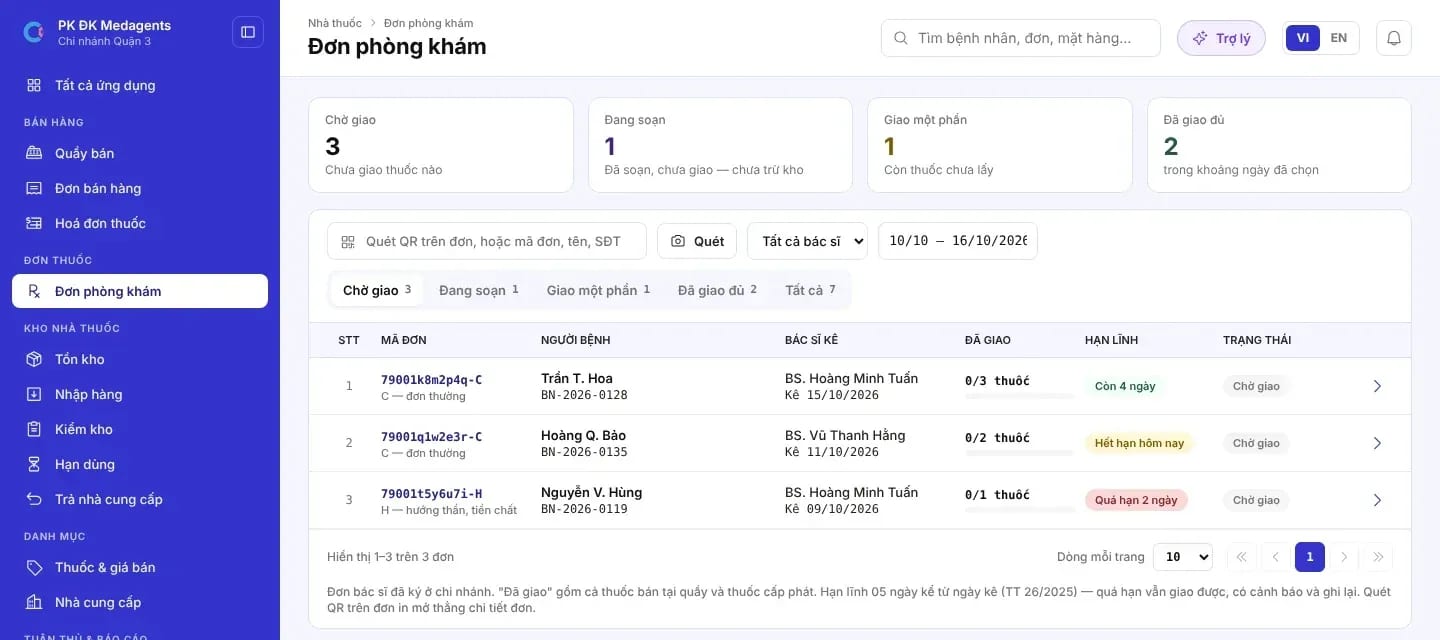
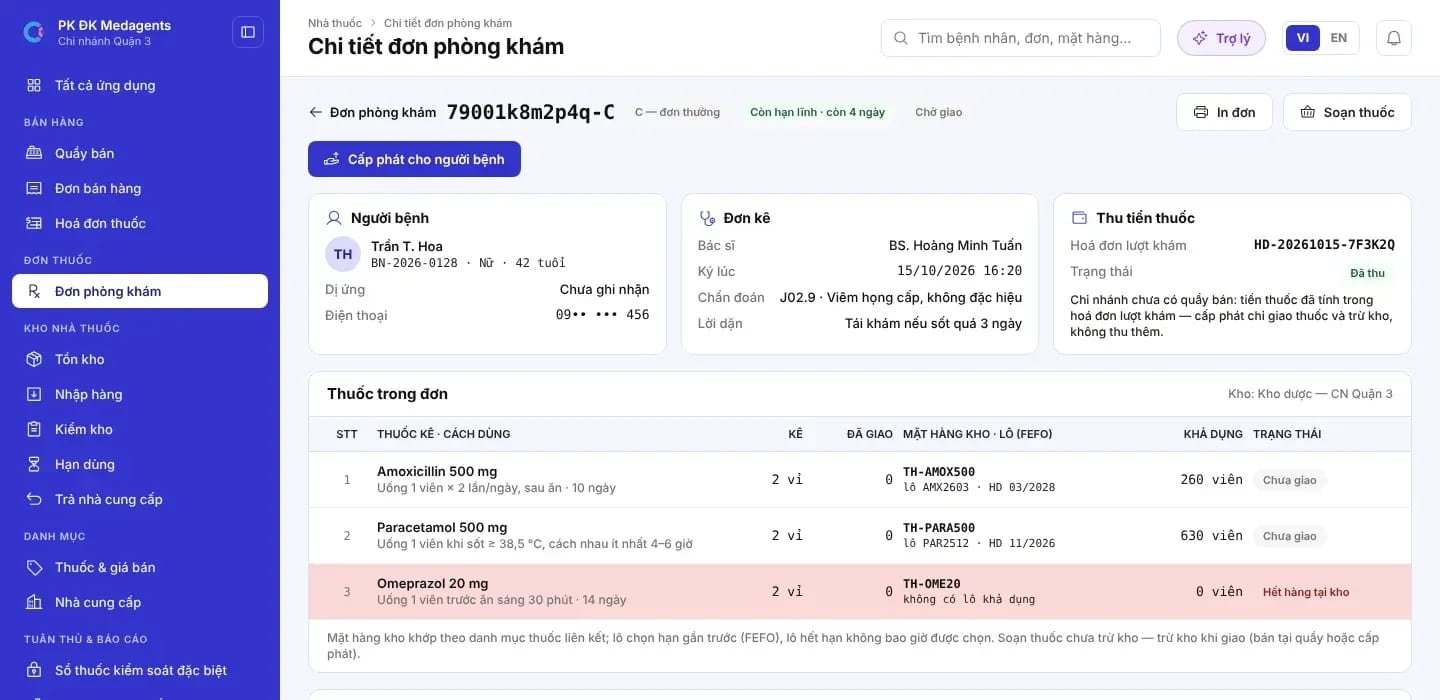
The pharmacy receives the prescription as soon as the doctor signs it, scans the QR or the prescription code to prepare and dispense medication, and tracks the pickup deadline.
Internal inventory
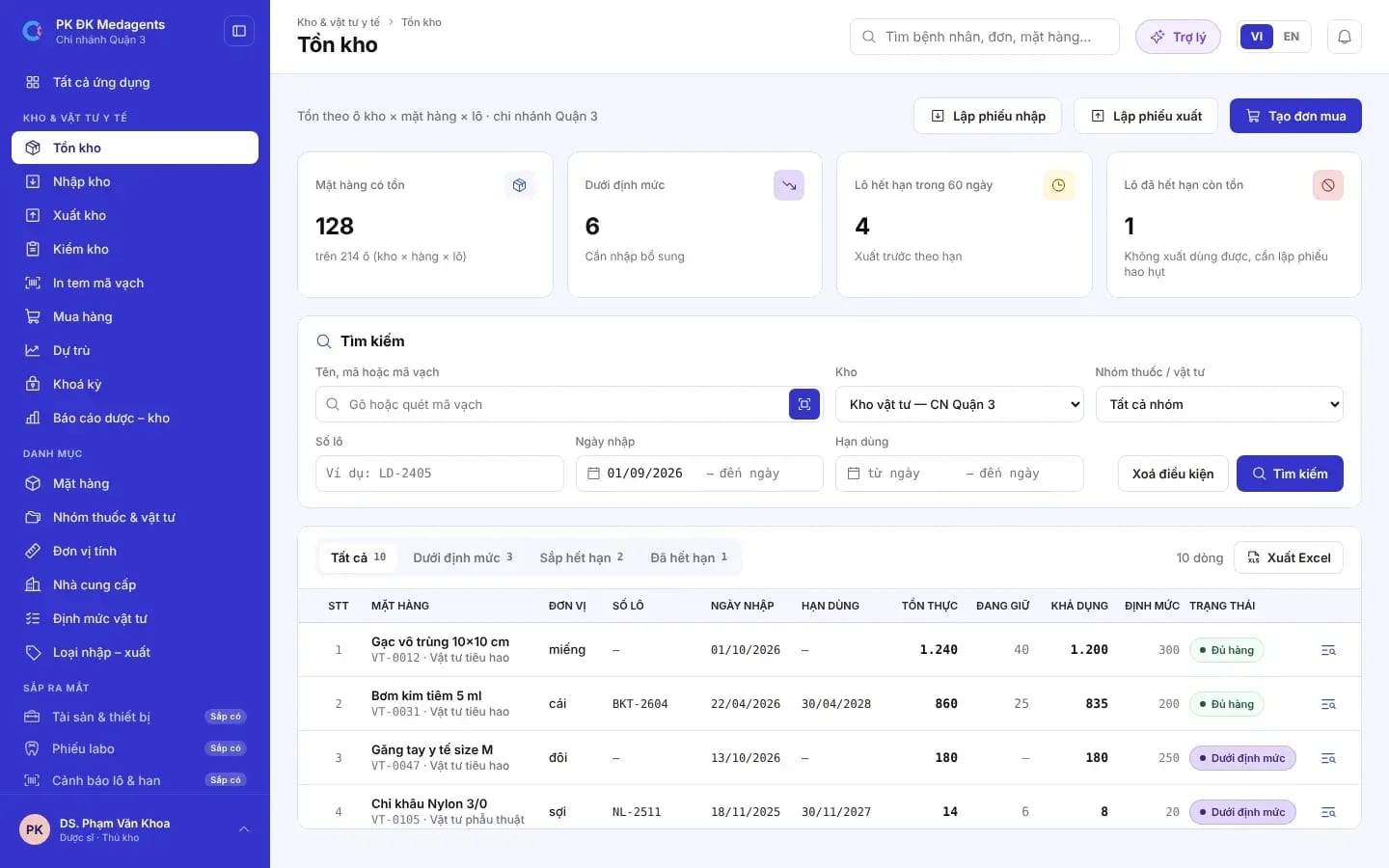
Medicine and medical supply inventory is managed by item, batch, expiry date and site, linked directly to prescriptions and dispensing.
FAQ
Yes. Signed prescriptions are submitted to donthuocquocgia.vn following the connection guidance in Decision 808/QĐ-BYT, using the interoperability codes of the facility and the physician.
Error responses are recorded together with what needs correcting; staff fix the data and resubmit, and the entire sequence is kept in the prescription log.
Allergies and diagnoses are always displayed while prescribing. The scope of interaction alerts depends on the drug data source confirmed during implementation; the doctor decides the content of the prescription.
Yes. The facility uses electronic prescribing and national data exchange; patients can fill their prescriptions at any pharmacy using the prescription code.
No. Reminders are generated from the dosing instructions in the prescription the doctor signed; any change to treatment is decided by the doctor.
Share your current prescribing, pharmacy, and inventory processes, and MedAgents will propose a suitable interoperability roadmap.