
Appointment booking & reminders
Remote visits share the doctor's calendar; patients receive an appointment reminder before the visit.
Video consultations
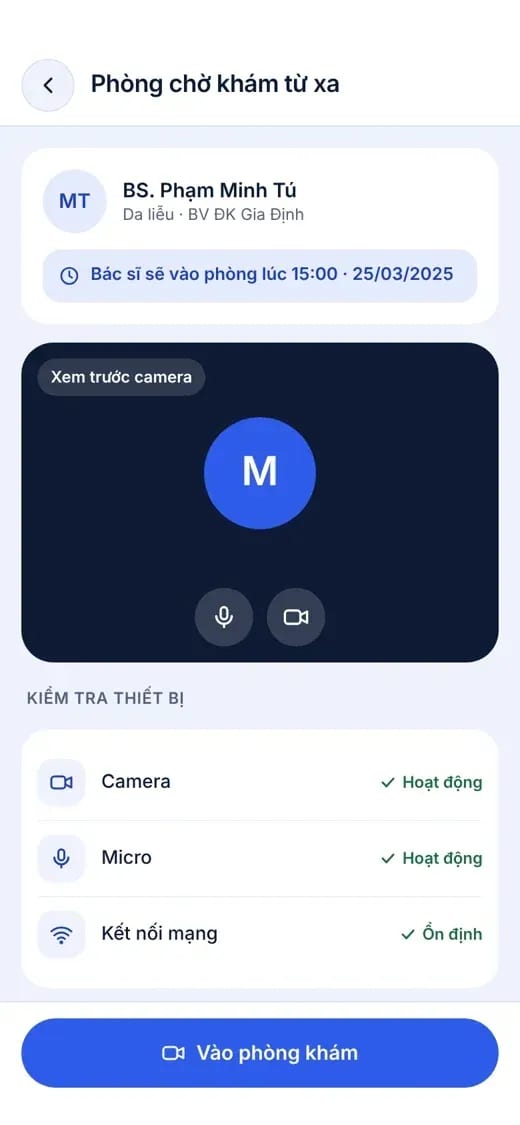
The patient enters the waiting room in the app, and the doctor opens the encounter and starts a 1-on-1 video call at the scheduled time. Conclusions, prescriptions and invoices are recorded straight into the visit record, just as in an in-person visit.
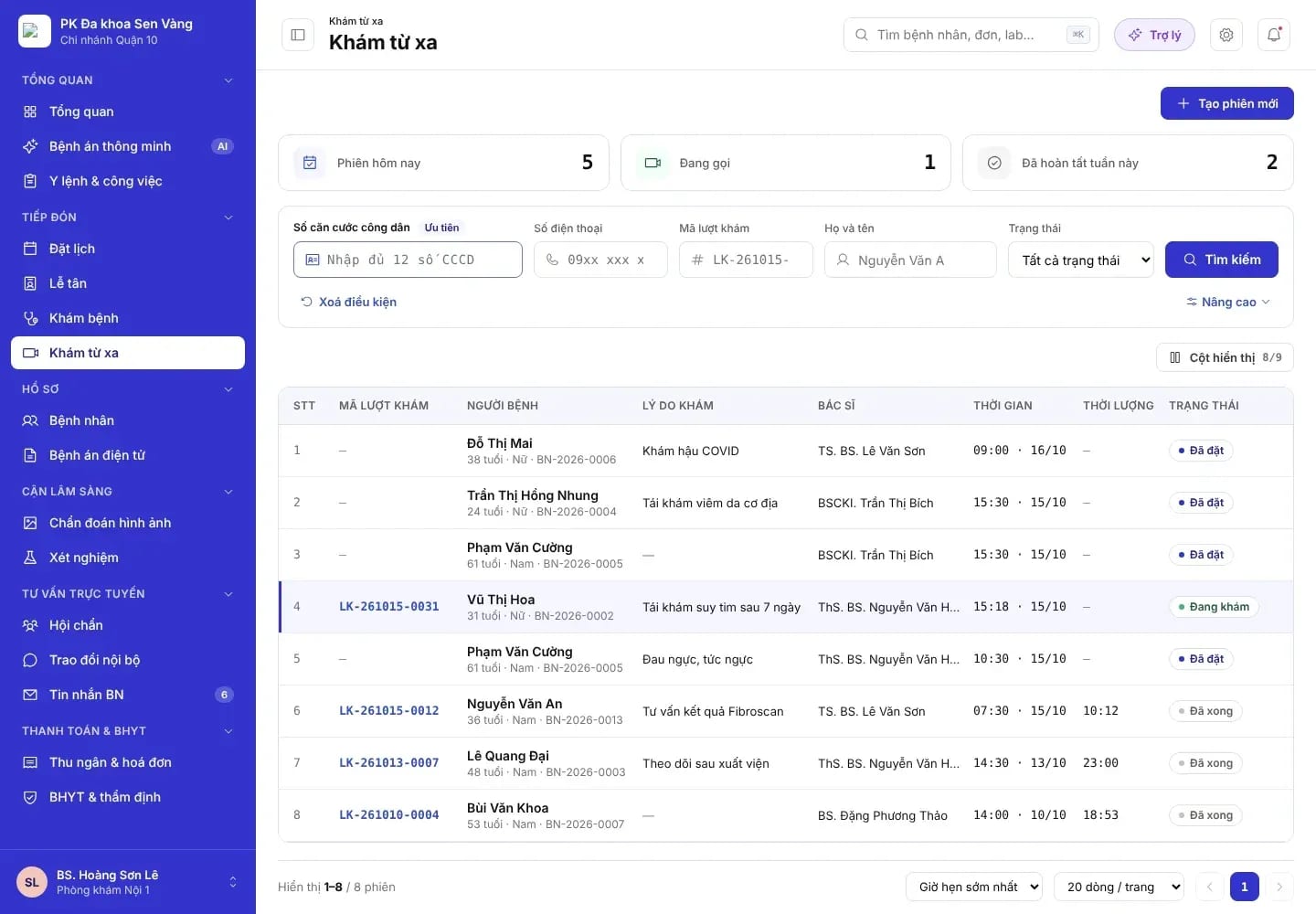
MedAgents clinic portal interface
Patient experience
Three clear steps in the patient app: prepare, attend the visit, and receive post-visit instructions.


For clinics
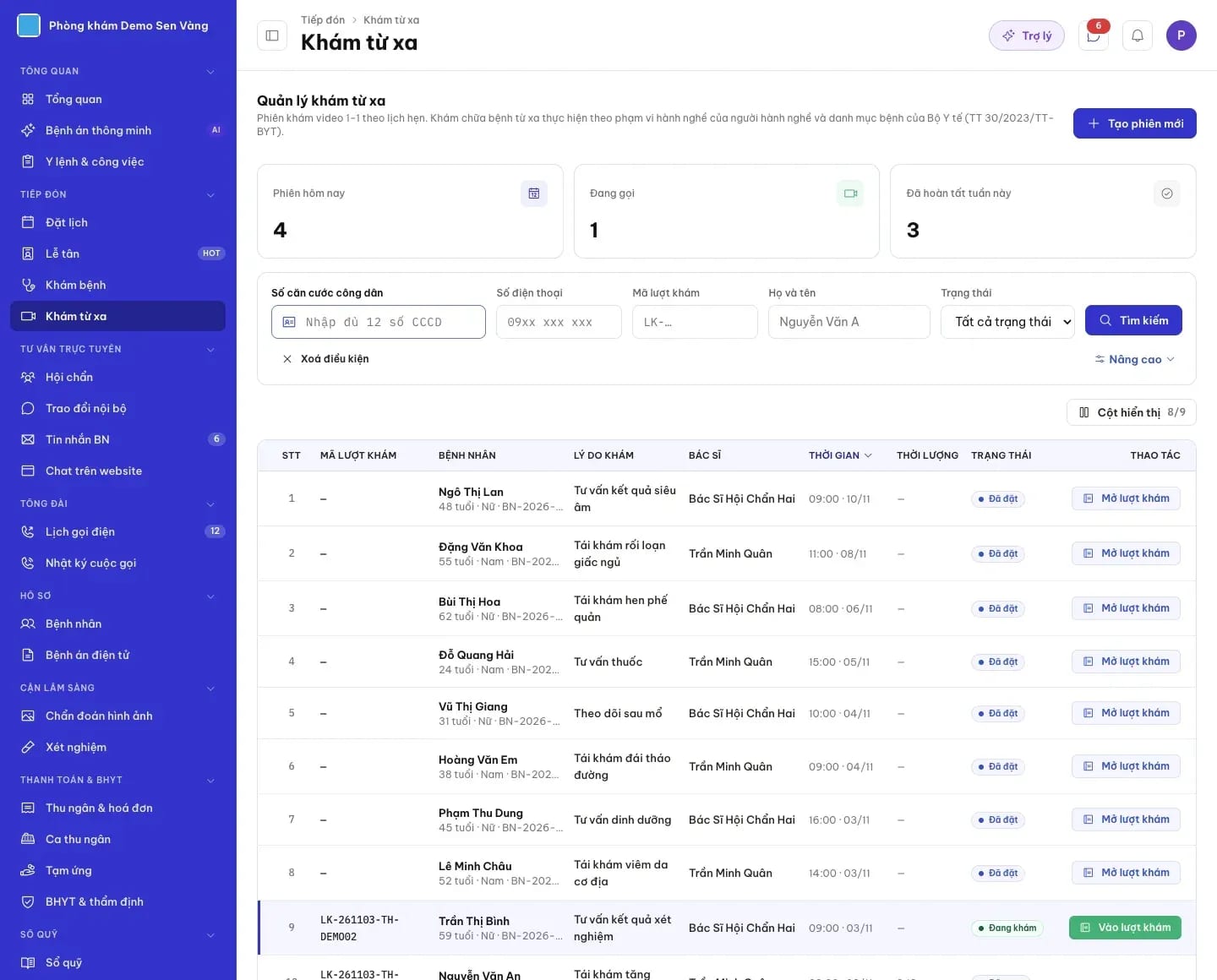
The front desk and doctors track today's sessions, sessions in progress, and completed sessions; a visit opens with a single tap.
The telehealth visit workflow
A telehealth visit follows the same process as an in-person visit, so the data always stays within a single patient record.
A list of 50 diseases and conditions eligible for telehealth care across nearly 20 specialties, effective from 01/01/2024. Practitioners are responsible for their own diagnoses, treatment orders, and prescriptions. On MedAgents, the doctor decides which cases are suitable for telehealth and refers the patient to an in-person visit when needed.
Telehealth does not replace emergency care. In an emergency, patients should call 115 or go to the nearest healthcare facility.
Features
Telehealth is built into the operating platform, not a separate video calling tool.
Remote visits share the doctor's calendar; patients receive an appointment reminder before the visit.
Camera, microphone, and network connection are checked in the waiting room.
During the visit, the patient sends photos and earlier test results for the doctor to review.
Doctors write to the consultation template, record the ICD-10 diagnosis, and add instructions within the visit.
Prescriptions and invoices appear in the patient app after the visit.
Patients rate the visit once it ends, helping the facility improve service quality.
FAQ
Under Circular 30/2023/TT-BYT, the Ministry of Health issued a list of 50 diseases and conditions eligible for telehealth, such as hypertension, diabetes, asthma, and selected dermatological, musculoskeletal and mental health conditions. The doctor decides within their own scope of practice.
Patients use the facility's patient app, with a camera, a microphone, and a stable network connection. The waiting room checks devices before the consultation begins.
Notes, diagnoses and prescriptions are saved to the patient's encounter record just as in an in-person visit, and appear on the timeline.
Audio and video recording requires the patient's consent and compliance with the facility's rules. Call technology, recording rights, and where data is stored are confirmed during the implementation discovery session.
No. In an emergency, patients should call 115 or go to the nearest healthcare facility.
Share the specialties and patient groups your facility wants to serve via telehealth, and MedAgents will propose a suitable rollout approach.